
Requirements + notes
For now, the application only supports dual-lens 360-camera panoramic video footage (think insta360 x4 or DJI OSMO).
Cameras like the insta360 Pro Spherical will not work.
Until we push out more updates, there is a pretty specific way you need to shoot to get working results out of this. So be sure to read through our notes carefully.
You will get an email notification if your footage failed processing (don't feel bad about it, we'll work with you to get it right), do not reupload the same footage if your processing failed for your upload.
Required Equipment
Here's a list of equipment you WILL need:
Dual lens 360 camera
Selfie Stick
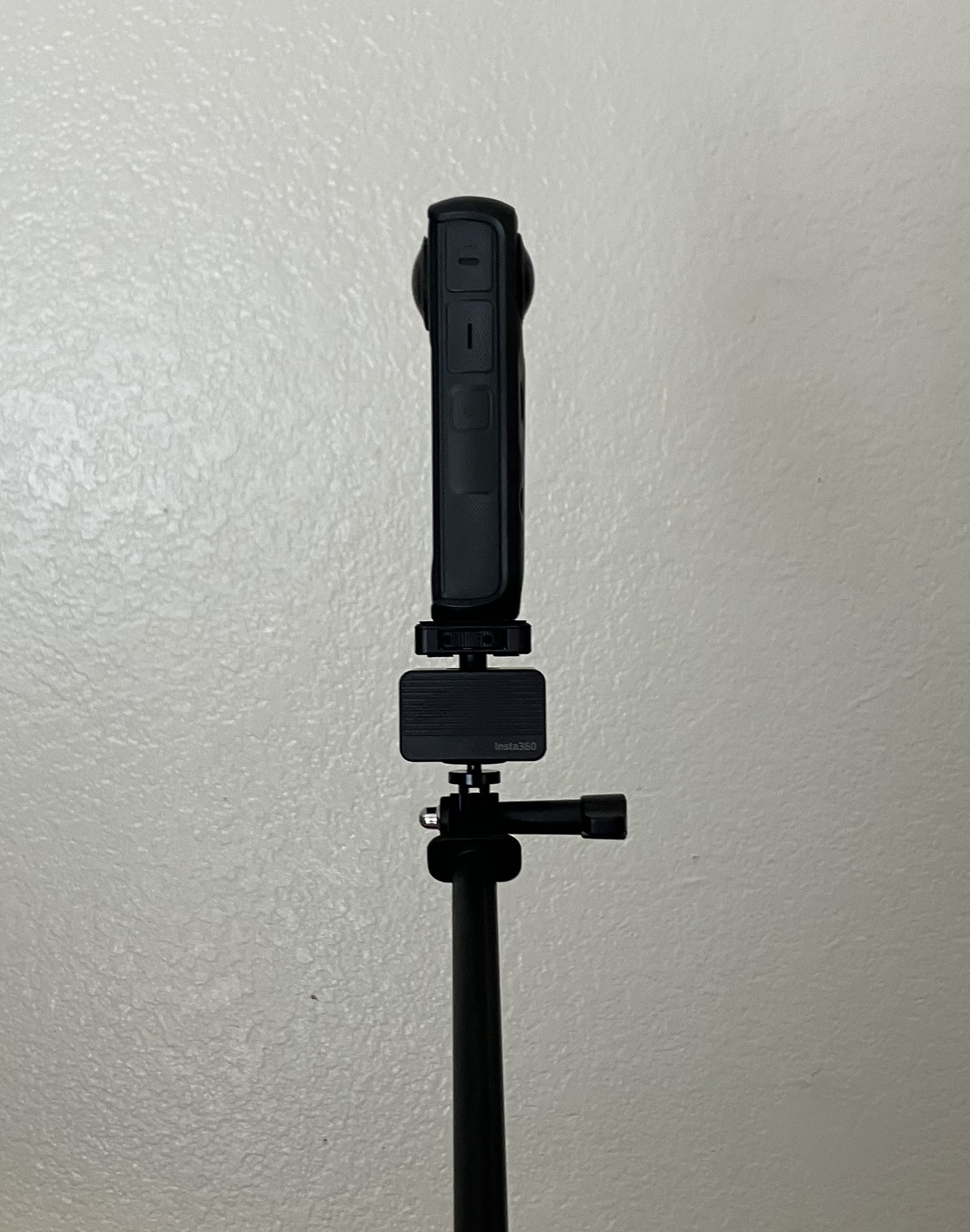
Adapter To Keep Camera Upright During Capture
Recommended
Equipment that's not necessary, but recommended:
Vibration Damper
Remote Activation
Camera Settings
Keep all camera settings fixed, and set to manual. Make sure ISO, shutter speed, and white balance are all set to manual control.
Prioritize a faster shutter speed over a lower ISO. If the lighting is extremely dim, we recommend completely maxing out your ISO to get the fastest shutter speed. For this reason, it will be best to separate captures if you're going to be moving from inside to outside.
Set to highest resolution, and highest bitrate. FPS is not important. You can set to the lowest FPS to save space.
Capture Etiquette
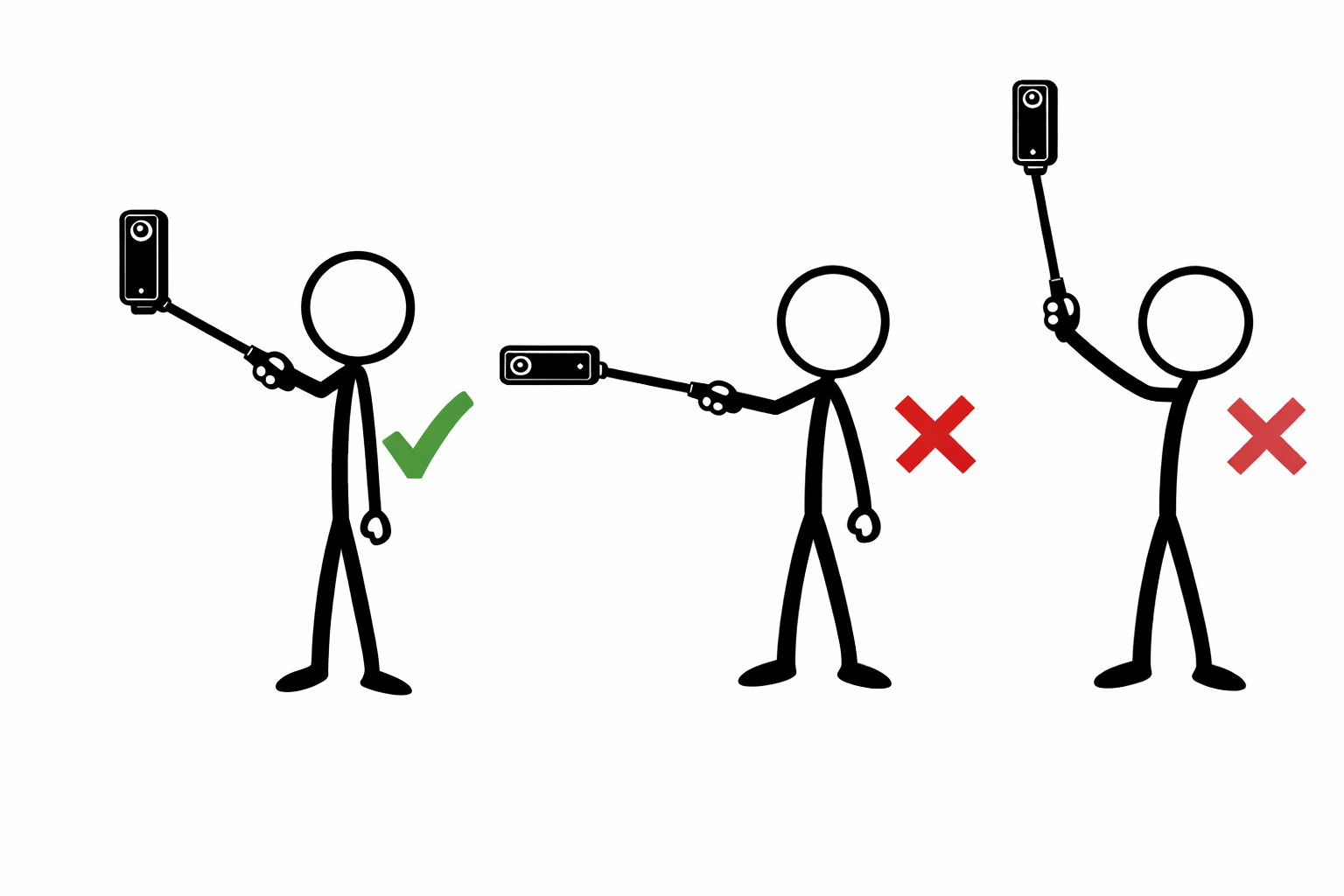
Use a selfie stick to keep the camera far in front of you to help keep yourself from occluding the shots. Keep your movements slow and steady, avoid fast turns and heavy vibrations from stepping.
Capture with the 360-camera fixed to eye level with the lenses facing outwards left and right from you (So none of the lenses are pointed directly at you.) With the camera upright.
Walk the path you want your viewers to see, the more coverage the better.
Your POV during capture:
Export Settings
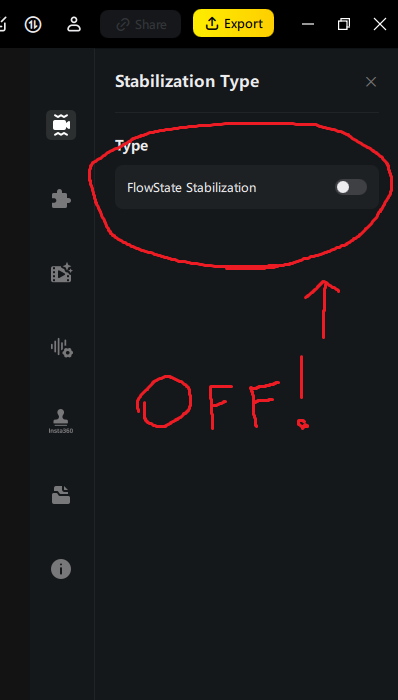
Whether you're using insta360 studio or DJI Studio, it's very important that FlowState stabilization (or any kind of image stabilization) not be enabled on your exported panoramic video.
Adjust colors and image settings to your liking, as what you see in the preview editor will be what the output of your splat scene will look like color wise.
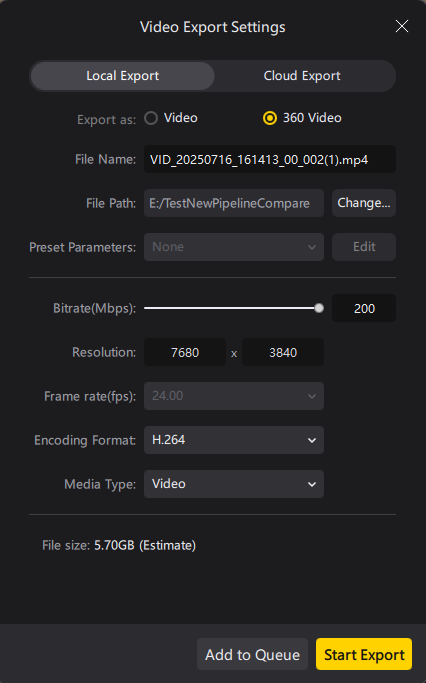
The larger your file size the longer the upload will take, with that in mind, we recommend at least a 100 Mbps bitrate on export, 200 may be overkill but up to you whether you want your file size that large!
H.264 or H.265 will work.

All rights reserved. Revolutionizing digital exploration through advanced 3D Gaussian Splatting technology.
All rights reserved. Revolutionizing digital exploration through advanced 3D Gaussian Splatting technology.
© 2026 VR Estate Viewings